
Μετάβαση σε περιεχόμενο
View in the app

A better way to browse. Learn more.

Mammyland

A full-screen app on your home screen with push notifications, badges and more.

To install this app on iOS and iPadOS
  1. Tap the Share icon in Safari
  2. Scroll the menu and tap Add to Home Screen.
  3. Tap Add in the top-right corner.
To install this app on Android
  1. Tap the 3-dot menu (⋮) in the top-right corner of the browser.
  2. Tap Add to Home screen or Install app.
  3. Confirm by tapping Install.

Τα neon χρώματα κερδίζουν χώρο στα σπίτια μας

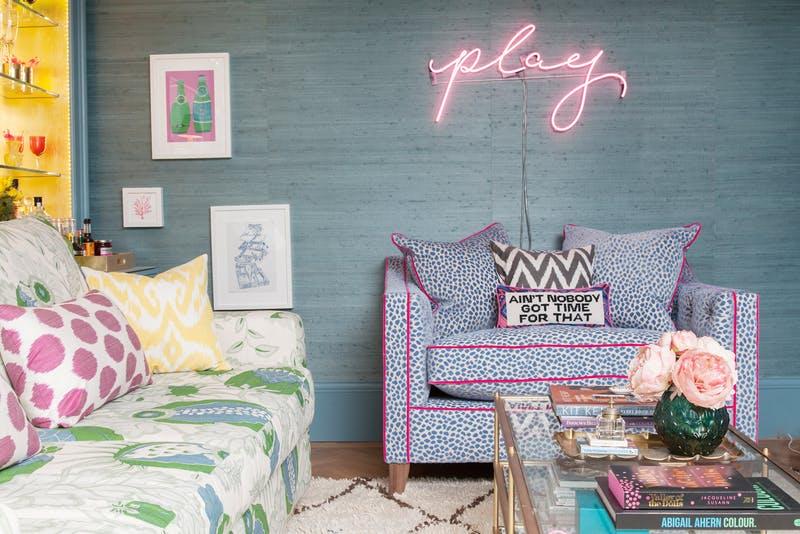
  • Πριν από λίγες ημέρες σου μιλήσαμε για τις neon επιγραφές που κερδίζουν όλο και περισσότερο αυτούς που αγαπάνε τα trends της διακόσμησης.

Και τώρα θα μάθεις πως το neon εξαπλώνεται και πως μπορείς με neon χρώματα να δώσεις ένταση στα δωμάτια του σπιτιού σου και φυσικά στιλ.

Πάρε μερικές ιδέες!

c8ZpfHp.jpg

XlBqnVB.jpg

BIirv0Q.jpg

T4J0lkS.jpg

ggk2tit.jpg

dHAWWyG.jpg

ZipbpVO.jpg

upCuKtw.jpg

qC9F8Te.jpg

TR5pALa.jpg

Σχόλια Χρηστών

Recommended Comments

Δεν υπάρχει κάποιο σχόλιο

Account

Navigation

Αναζήτηση

Configure browser push notifications

Chrome (Android)
  1. Tap the lock icon next to the address bar.
  2. Tap Permissions → Notifications.
  3. Adjust your preference.
Chrome (Desktop)
  1. Click the padlock icon in the address bar.
  2. Select Site settings.
  3. Find Notifications and adjust your preference.