
Μετάβαση σε περιεχόμενο
View in the app

A better way to browse. Learn more.

Mammyland

A full-screen app on your home screen with push notifications, badges and more.

To install this app on iOS and iPadOS
  1. Tap the Share icon in Safari
  2. Scroll the menu and tap Add to Home Screen.
  3. Tap Add in the top-right corner.
To install this app on Android
  1. Tap the 3-dot menu (⋮) in the top-right corner of the browser.
  2. Tap Add to Home screen or Install app.
  3. Confirm by tapping Install.

Μπαμπάδες στην αίθουσα τοκετού – Οι φωτογραφίες που θα σας καθηλώσουν

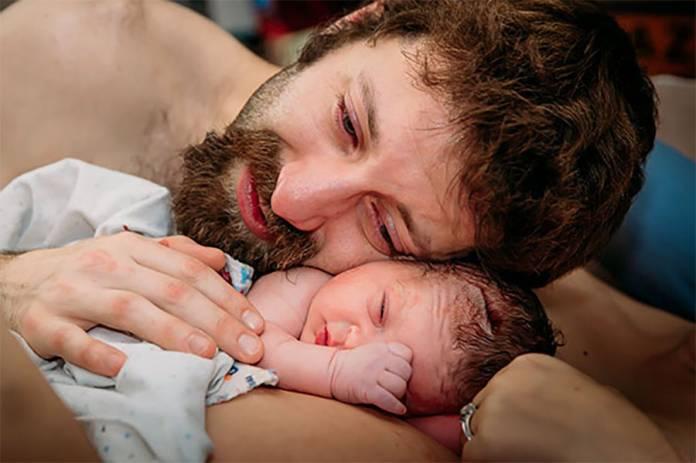
  • Οι αντιδράσεις των μπαμπάδων που μόλις βλέπουν ή αγκαλιάζουν το νεογέννητο αμέσως μετά τον τοκετό, τις οποίες έχει καταγράψει κατά καιρούς ο φωτογραφικός φακός επαγγελματιών φωτογράφων, είναι πραγματικά μοναδικές.

Δείτε τις καλύτερες φωτογραφίες που θα σας συγκινήσουν:

Dtg2a1e.jpg

JOHQjKu.jpg

A8C0VMH.jpg

cb1DT44.jpg

EspeYDN.jpg

ZFyXIOE.jpg

vqZoefU.jpg

m69K9qY.jpg

NW3y8oU.jpg

nASXv79.jpg

OqIdY9q.jpg

w1DVyHO.jpg

Σχόλια Χρηστών

Recommended Comments

Δεν υπάρχει κάποιο σχόλιο

Account

Navigation

Αναζήτηση

Configure browser push notifications

Chrome (Android)
  1. Tap the lock icon next to the address bar.
  2. Tap Permissions → Notifications.
  3. Adjust your preference.
Chrome (Desktop)
  1. Click the padlock icon in the address bar.
  2. Select Site settings.
  3. Find Notifications and adjust your preference.