
Μετάβαση σε περιεχόμενο
View in the app

A better way to browse. Learn more.

mammyland

A full-screen app on your home screen with push notifications, badges and more.

To install this app on iOS and iPadOS
  1. Tap the Share icon in Safari
  2. Scroll the menu and tap Add to Home Screen.
  3. Tap Add in the top-right corner.
To install this app on Android
  1. Tap the 3-dot menu (⋮) in the top-right corner of the browser.
  2. Tap Add to Home screen or Install app.
  3. Confirm by tapping Install.

Vidi

Μέλη
  • Έγινε μέλος

  • Τελευταία επίσκεψη

Όλες οι δημοσιεύσεις του/της Vidi

  1. Vidi απάντησε στο θέμα του/της stalacid topic στο Θέλω να γίνω μαμά
    Συγνώμη για την καθυστερηση!! Τελικά ήταν αρνητικο! Ήρθε η ακατανομαστη!!! Δεν πειράζει τον άλλο μήνα παλι! Σας ευχαριστω!!
  2. Vidi απάντησε στο θέμα του/της stalacid topic στο Θέλω να γίνω μαμά
    Σε ευχαριστώ για την άμεση απαντηση. Έλεγα να το επαναλάβω το πρωί μιας και το έκανα μεσημέρι και με μικρή ροή ούρων γιατί ήμουν ανυπομονη...
  3. Vidi απάντησε στο θέμα του/της stalacid topic στο Θέλω να γίνω μαμά
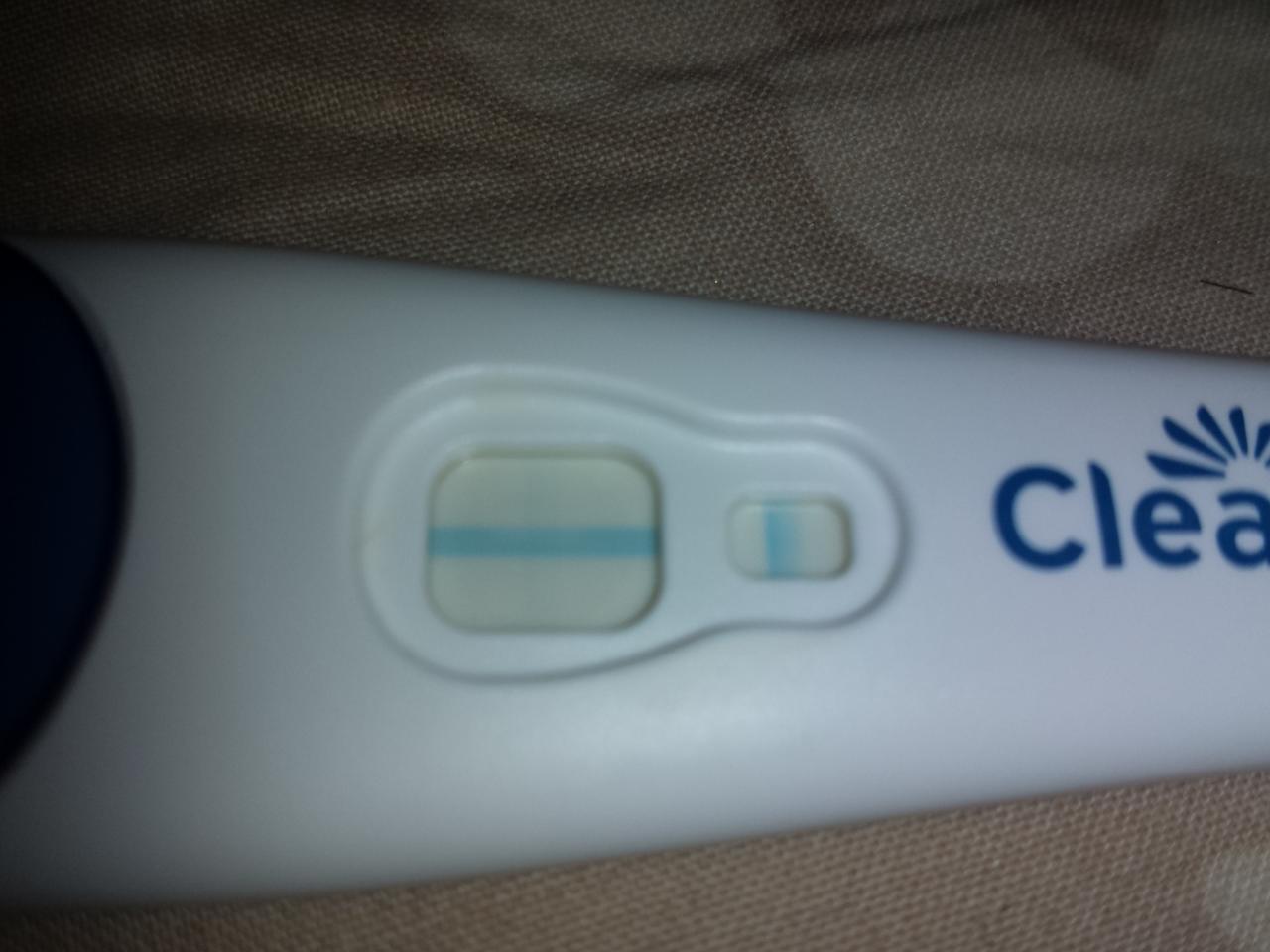
    Καλησπερα! Είμαι νέα στο φόρουμ. Έκανα ένα τεστ clearblue στο οποίο εγώ νομίζω πως φαίνεται μια πολυυυυυυυυυυυυυ άχνη γραμμή ενώ 2 φίλες μου που το έδειξα μου είπαν πως δεν υπάρχει τιποτα. Θα ήθελα την γνώμη σας αν εσείς βλέπετε κατι. Ευχαριστω!!

Account

Navigation

Αναζήτηση

Αναζήτηση

Configure browser push notifications

Chrome (Android)
  1. Tap the lock icon next to the address bar.
  2. Tap Permissions → Notifications.
  3. Adjust your preference.
Chrome (Desktop)
  1. Click the padlock icon in the address bar.
  2. Select Site settings.
  3. Find Notifications and adjust your preference.