

Μετάβαση σε περιεχόμενο
View in the app

A better way to browse. Learn more.

Mammyland

A full-screen app on your home screen with push notifications, badges and more.

To install this app on iOS and iPadOS
  1. Tap the Share icon in Safari
  2. Scroll the menu and tap Add to Home Screen.
  3. Tap Add in the top-right corner.
To install this app on Android
  1. Tap the 3-dot menu (⋮) in the top-right corner of the browser.
  2. Tap Add to Home screen or Install app.
  3. Confirm by tapping Install.

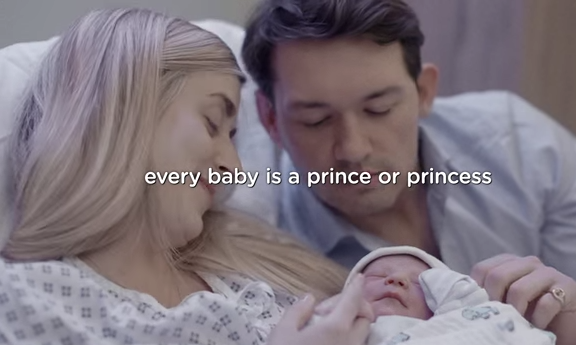
Κάθε μωρό είναι ένας πρίγκιπας ή μια πριγκίπισσα (video)


  • <p>Με αφορμή τη γέννηση του δεύτερου πριγκιπικού μωρού, η εταιρεία Pampers δημιούργησε αυτό το όμορφο βίντεο για να περάσει το μήνυμα πως όλα τα μωράκια αξίζουν να είναι πρίγκιπες ή πριγκίπισσες.</p>

Όταν όλα τα φώτα της δημοσιότητας είχαν πέσει πάνω στο πριγκιπικό μωρό, κανένας δεν αναφέρθηκε στα πλασματάκια που ήρθαν στον κόσμο την ίδια μέρα!

Κάθε γέννα είναι ξεχωριστή και κάθε καινούργια ζωή μοναδική!

Δείτε το συγκινητικό βίντεο:

https://youtu.be/QYi67tH_290

Σχόλια Χρηστών

Recommended Comments

Δεν υπάρχει κάποιο σχόλιο

Account

Navigation

Αναζήτηση

Configure browser push notifications

Chrome (Android)
  1. Tap the lock icon next to the address bar.
  2. Tap Permissions → Notifications.
  3. Adjust your preference.
Chrome (Desktop)
  1. Click the padlock icon in the address bar.
  2. Select Site settings.
  3. Find Notifications and adjust your preference.