

Μετάβαση σε περιεχόμενο
View in the app

A better way to browse. Learn more.

Mammyland

A full-screen app on your home screen with push notifications, badges and more.

To install this app on iOS and iPadOS
  1. Tap the Share icon in Safari
  2. Scroll the menu and tap Add to Home Screen.
  3. Tap Add in the top-right corner.
To install this app on Android
  1. Tap the 3-dot menu (⋮) in the top-right corner of the browser.
  2. Tap Add to Home screen or Install app.
  3. Confirm by tapping Install.

Χριστουγεννιάτικα στολίδια από φελλό


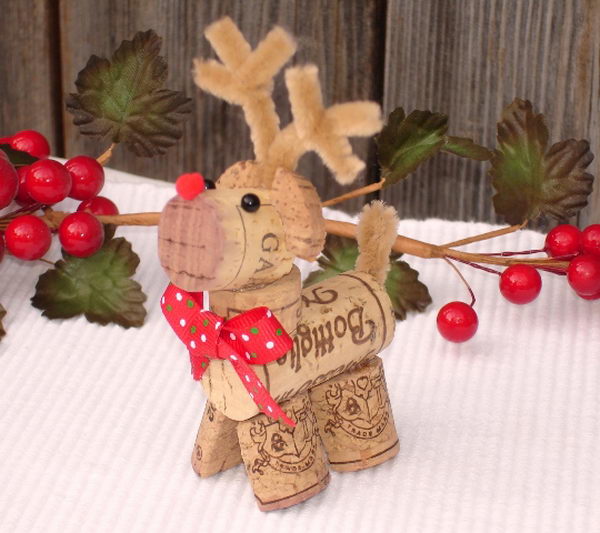
  • <p>Αυτά τα χριστουγεννιάτικα διακοσμητικά από φελλό θα δώσουν μια ξεχωριστή νότα στην γιορτινή ατμόσφαιρα του σπιτιού σας.</p>

Μπορούμε να τα κρεμάσουμε στο δεντράκι μας ή να τα στολίσουμε στο γιορτινό τραπέζι μας!

Δείτε μερικά υπέροχα διακοσμητικά που μπορούμε να φτιάξουμε:

c2toFgK.jpg

rqoHcj7.jpg

KXiHBaR.jpg

FhIhsDA.jpg

7s6uGHC.jpg

xaCWMFO.jpg

6lws8df.jpg

j4GYTty.jpg

LO73yST.jpg

DbjZBBH.jpg

N9sffoi.jpg

vQM5cZG.jpg

από thehomelessfinch.blogspot.gr

Σχόλια Χρηστών

Recommended Comments

Δεν υπάρχει κάποιο σχόλιο

Account

Navigation

Αναζήτηση

Configure browser push notifications

Chrome (Android)
  1. Tap the lock icon next to the address bar.
  2. Tap Permissions → Notifications.
  3. Adjust your preference.
Chrome (Desktop)
  1. Click the padlock icon in the address bar.
  2. Select Site settings.
  3. Find Notifications and adjust your preference.