

Μετάβαση σε περιεχόμενο
View in the app

A better way to browse. Learn more.

Mammyland

A full-screen app on your home screen with push notifications, badges and more.

To install this app on iOS and iPadOS
  1. Tap the Share icon in Safari
  2. Scroll the menu and tap Add to Home Screen.
  3. Tap Add in the top-right corner.
To install this app on Android
  1. Tap the 3-dot menu (⋮) in the top-right corner of the browser.
  2. Tap Add to Home screen or Install app.
  3. Confirm by tapping Install.

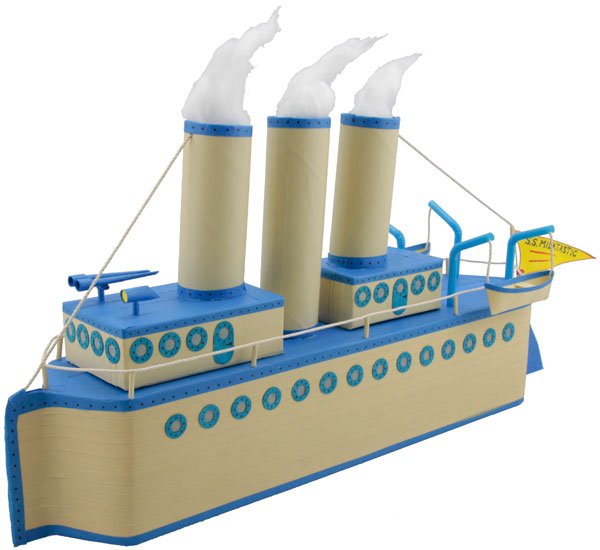
Ένα όμορφο καραβάκι από άδεια κουτιά γάλα


  • <p>Μια καλή ευκαιρία για να έρθουμε πιο κοντά με τα παιδιά μας είναι να παίζουμε μαζί και να φτιάχνουμε παρεούλα όμορφα παιχνίδια.</p>

Εάν έχετε άδειες συσκευασίες από γάλα μην τις πετάτε. Μπορούμε να τις χρησιμοποιήσουμε για να φτιάξουμε εύκολα αυτό το υπέροχο καραβάκι.

Οι παρακάτω φωτογραφίες δείχνουν βήμα βήμα πως θα το φτιάξετε.

TBl3k0C.jpg

zhE79km.jpgKyQTsv4.jpg

QIzQYu6.jpg

UpylnSv.jpg

dTdqpmt.jpg

hcCCb1y.jpg

από looledo.com

Σχόλια Χρηστών

Recommended Comments

Δεν υπάρχει κάποιο σχόλιο

Account

Navigation

Αναζήτηση

Configure browser push notifications

Chrome (Android)
  1. Tap the lock icon next to the address bar.
  2. Tap Permissions → Notifications.
  3. Adjust your preference.
Chrome (Desktop)
  1. Click the padlock icon in the address bar.
  2. Select Site settings.
  3. Find Notifications and adjust your preference.