
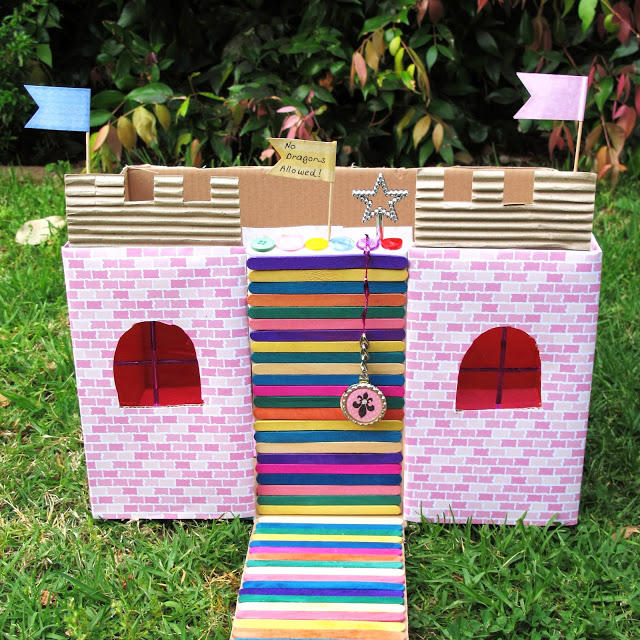

- Το κάστρο που θα φτιάξουμε είναι ροζ και παραμυθένιο... μια υπέροχη κατασκευή για τις μικρές πριγκιππισούλες μας. Οι φωτογραφίες που ακολουθούν δείχνουν αναλυτικά τον τρόπο κατασκευής. Τα υλικά δε θα δυσκολευτείτε να τα βρείτε, υπάρχουν σε κάθε σπίτι. Χρειάζεται χαρά, φαντασία, όρεξη για δημιουργία και δίπλα σας τον υπέροχο μικρό βοηθό σας. Καλή διασκέδαση!
http://i.imgur.com/HiUZfhM.jpg
http://i.imgur.com/JVUu4Fk.jpg
http://i.imgur.com/VODyu2G.jpg
http://i.imgur.com/4QxLrge.jpg
http://i.imgur.com/yNqTNTy.jpg
http://i.imgur.com/14JP2ea.jpg
http://i.imgur.com/51x8Wpa.jpg
http://i.imgur.com/CQjCvlG.jpg
http://i.imgur.com/AIVo0J5.jpg
http://i.imgur.com/Y8RR055.jpg
http://i.imgur.com/AowvKAI.jpg
http://i.imgur.com/0LzmD2s.jpg
http://i.imgur.com/amR83EA.jpg
http://i.imgur.com/HXKPFJq.jpg
http://i.imgur.com/mYFk1pH.jpg
http://i.imgur.com/cuL7mLe.jpg
http://i.imgur.com/QxeA1hF.jpg
http://i.imgur.com/5Nlgq1H.jpg
http://i.imgur.com/Lq7sqhY.jpg
blog.littleladybird
Recommended Comments