

Μετάβαση σε περιεχόμενο
View in the app

A better way to browse. Learn more.

Mammyland

A full-screen app on your home screen with push notifications, badges and more.

To install this app on iOS and iPadOS
  1. Tap the Share icon in Safari
  2. Scroll the menu and tap Add to Home Screen.
  3. Tap Add in the top-right corner.
To install this app on Android
  1. Tap the 3-dot menu (⋮) in the top-right corner of the browser.
  2. Tap Add to Home screen or Install app.
  3. Confirm by tapping Install.

Υπέροχα γεύματα για το σχολείο!


  • <p>Χρειάζεται μόνο φαντασία, χαρά και φυσικά χρόνος! Το μαγείρεμα με το παιδί μας έχει ανεκτίμητη αξία.</p>

Ζητήστε τις ιδέες του και με το μεράκι και τη φαντασία σας μπορείτε να μετατρέψετε ένα απλό σαντουιτς σε υπέροχες φατσούλες, ζωάκια και ότι άλλο μπορείτε να φανταστείτε.

Τα παρακάτω γεύματα θα σας ενθουσιάσουν.

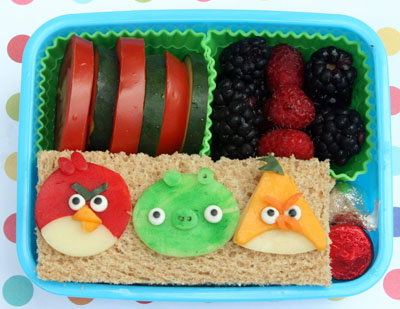
Πασχαλίτσες, ψαράκια, γατούλες, ελεφαντάκια, γουρουνάκια και τα αγαπημένα μας angry birds ζωντανεύουν στο πιάτο.

iZVMzmx.jpg

ugpQlTx.jpg

I0SFtyb.jpg

JPk7WsL.jpg

OahLvBz.jpg

4csmVXB.jpg

8cJ7HIa.jpg

UzKw675.jpg

1FlRmJw.jpg

vXCfHjO.jpg

FOV99i3.jpg

Σχόλια Χρηστών

Recommended Comments

Δεν υπάρχει κάποιο σχόλιο

Account

Navigation

Αναζήτηση

Configure browser push notifications

Chrome (Android)
  1. Tap the lock icon next to the address bar.
  2. Tap Permissions → Notifications.
  3. Adjust your preference.
Chrome (Desktop)
  1. Click the padlock icon in the address bar.
  2. Select Site settings.
  3. Find Notifications and adjust your preference.