

Μετάβαση σε περιεχόμενο
View in the app

A better way to browse. Learn more.

Mammyland

A full-screen app on your home screen with push notifications, badges and more.

To install this app on iOS and iPadOS
  1. Tap the Share icon in Safari
  2. Scroll the menu and tap Add to Home Screen.
  3. Tap Add in the top-right corner.
To install this app on Android
  1. Tap the 3-dot menu (⋮) in the top-right corner of the browser.
  2. Tap Add to Home screen or Install app.
  3. Confirm by tapping Install.

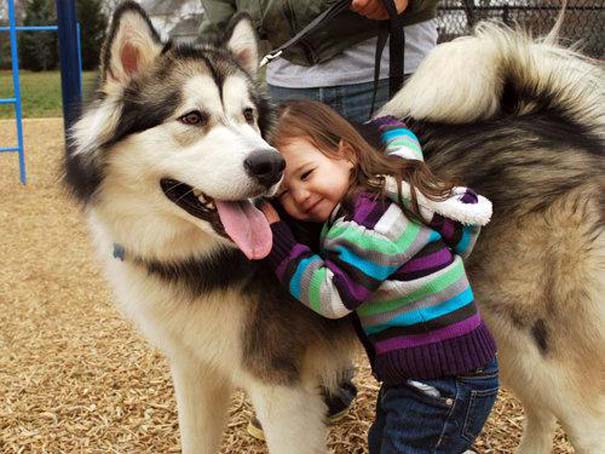
22 φωτογραφίες που αποδεικνύουν πως οι σκύλοι είναι οι καλύτεροι φίλοι των παιδιών


  • <p>Οι σκύλοι είναι γνωστοί για τη σχέση που μπορούν να αναπτύξουν με τους ανθρώπους, όμως όταν πρόκειται συγκεκριμένα για παιδιά ο δεσμός αυτός είναι ακόμα πιο μοναδικός.</p>

Δείτε 22 υπέροχες φωτογραφίες ανεκτίμητης αξίας που μιλούν από μόνες τους…

xn6WMk4.jpg

mgzguYb.jpg

wNaZHig.jpg

nQ2zxJg.jpg

Cwt2c5k.jpg

Nnz2HZ2.jpg

QeBbjJg.jpg

UWzy3Rc.jpg

jAsJ2ZC.jpg

aX614R0.jpg

GDmI7l1.jpg

mZY0sXG.jpg

IOHE2nW.jpg

pDZwtcA.jpg

ncut3Wl.jpg

KcsCoRl.jpg

qFtTdmi.jpg

NPWYiLK.jpg

YiU5kdv.jpg

GirpSER.jpg

krQko2S.jpg

otherside.gr

Σχόλια Χρηστών

Recommended Comments

Δεν υπάρχει κάποιο σχόλιο

Account

Navigation

Αναζήτηση

Configure browser push notifications

Chrome (Android)
  1. Tap the lock icon next to the address bar.
  2. Tap Permissions → Notifications.
  3. Adjust your preference.
Chrome (Desktop)
  1. Click the padlock icon in the address bar.
  2. Select Site settings.
  3. Find Notifications and adjust your preference.