

Μετάβαση σε περιεχόμενο
View in the app

A better way to browse. Learn more.

Mammyland

A full-screen app on your home screen with push notifications, badges and more.

To install this app on iOS and iPadOS
  1. Tap the Share icon in Safari
  2. Scroll the menu and tap Add to Home Screen.
  3. Tap Add in the top-right corner.
To install this app on Android
  1. Tap the 3-dot menu (⋮) in the top-right corner of the browser.
  2. Tap Add to Home screen or Install app.
  3. Confirm by tapping Install.

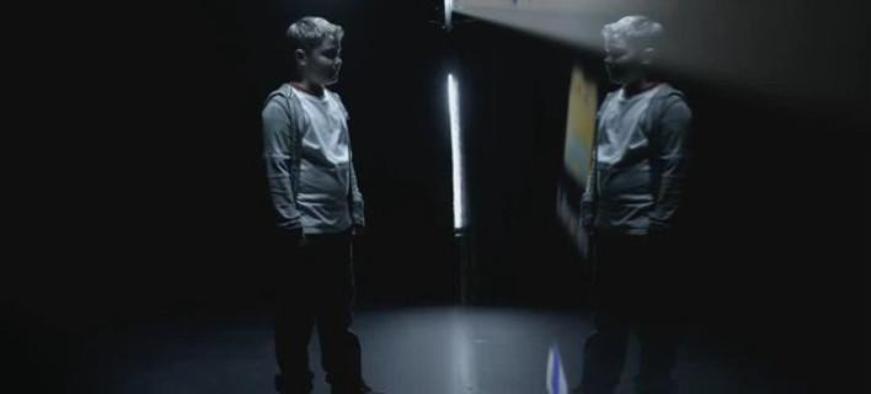
Δύο συγκλονιστικά βίντεο για το διαδίκτυο από τη Δίωξη Ηλεκτρονικού Εγκλήματος


  • <p><span style="font-size:14px;">Δύο συγκλονιστικά βίντεο έδωσε στη δημοσιότητα η Δίωξη Ηλεκτρονικού Εγκλήματος.</span></p>

Τα βίντεο είναι διαφημιστικά μηνύματα που δημιουργήθηκαν στο πλαίσιο της εκστρατείας πληροφόρησης των ευαίσθητων κοινωνικών ομάδων σχετικά με τις παγίδες και τους κινδύνους του διαδικτύου.

Το πρώτο αφορά το cyberbullying και το δεύτερο τους κινδύνους που κρύβουν οι επαφές με αγνώστους.

Τα διαφημιστικά μηνύματα έχουν αναρτηθεί στο διαδίκτυο ενώ θα παίζονται και από όλους τους τηλεοπτικούς σταθμούς της χώρας έως και την Τρίτη 30 Δεκεμβρίου.

http://youtu.be/kI7wdT_bIFY

http://youtu.be/qhbU6xTdO5Y

Σχόλια Χρηστών

Recommended Comments

Δεν υπάρχει κάποιο σχόλιο

Account

Navigation

Αναζήτηση

Configure browser push notifications

Chrome (Android)
  1. Tap the lock icon next to the address bar.
  2. Tap Permissions → Notifications.
  3. Adjust your preference.
Chrome (Desktop)
  1. Click the padlock icon in the address bar.
  2. Select Site settings.
  3. Find Notifications and adjust your preference.