
Μετάβαση σε περιεχόμενο
View in the app

A better way to browse. Learn more.

Mammyland

A full-screen app on your home screen with push notifications, badges and more.

To install this app on iOS and iPadOS
  1. Tap the Share icon in Safari
  2. Scroll the menu and tap Add to Home Screen.
  3. Tap Add in the top-right corner.
To install this app on Android
  1. Tap the 3-dot menu (⋮) in the top-right corner of the browser.
  2. Tap Add to Home screen or Install app.
  3. Confirm by tapping Install.

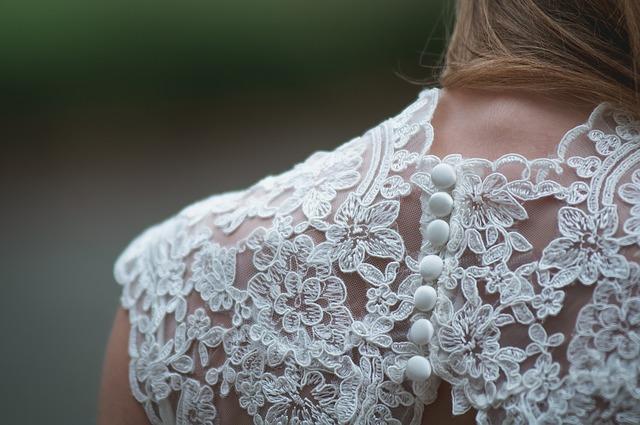
Η δαντέλα δεν πεθαίνει ποτέ!

  • Ούτε καν αποσύρεται μια χρονιά για να ξεκουραστεί. Κάνει παρέα στα καλοκαίρια μας από το πρωί ως το βράδυ. Κλασσικά κομμάτια από δαντέλα που μπορούμε να τα έχουμε και να τα φοράμε περήφανα για χρόνια.

esGYiI3.jpg

0T5jHn7.jpg

prc6vUH.jpg


h7TZ423.jpg

Juc3cFE.jpg

Iju7E6z.jpg

CFC6goV.jpg

RcV3PW5.jpg

JONATHAN SIMKHAI

Pj4oHEw.jpg

ALICE + OLIVIA

Je4KK86.jpg

ΠΗΓΗ

Επεξεργάστηκε από admin

Σχόλια Χρηστών

Recommended Comments

Δεν υπάρχει κάποιο σχόλιο

Account

Navigation

Αναζήτηση

Configure browser push notifications

Chrome (Android)
  1. Tap the lock icon next to the address bar.
  2. Tap Permissions → Notifications.
  3. Adjust your preference.
Chrome (Desktop)
  1. Click the padlock icon in the address bar.
  2. Select Site settings.
  3. Find Notifications and adjust your preference.