

Μετάβαση σε περιεχόμενο
View in the app

A better way to browse. Learn more.

Mammyland

A full-screen app on your home screen with push notifications, badges and more.

To install this app on iOS and iPadOS
  1. Tap the Share icon in Safari
  2. Scroll the menu and tap Add to Home Screen.
  3. Tap Add in the top-right corner.
To install this app on Android
  1. Tap the 3-dot menu (⋮) in the top-right corner of the browser.
  2. Tap Add to Home screen or Install app.
  3. Confirm by tapping Install.

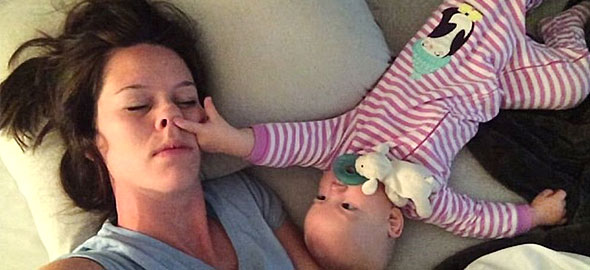
Το μωράκι που κάνει τα πάντα για να μην κοιμηθεί η μαμά του! (βίντεο)


  • <p>Ένα υπέροχο βίντεο κάνει το γύρω του διαδικτύου με ένα αξιολάτρευτο μωράκι που δεν αφήνει τη μαμά του να κοιμηθεί...</p>

Το μωράκι τραβάει τα μαλλιά της μανούλας του, βάζει το δάχτυλό της στα μάτια και στη μύτη της, της τσιμπάει τα μάγουλα. Κάνει ότι περνάει από το χέρι του για να μην την αφήσει να κοιμηθεί και τελικά τα καταφέρνει!

Απολαύστε το...

http://youtu.be/XVdJ8mfT3Dw

Σχόλια Χρηστών

Recommended Comments

Δεν υπάρχει κάποιο σχόλιο

Account

Navigation

Αναζήτηση

Configure browser push notifications

Chrome (Android)
  1. Tap the lock icon next to the address bar.
  2. Tap Permissions → Notifications.
  3. Adjust your preference.
Chrome (Desktop)
  1. Click the padlock icon in the address bar.
  2. Select Site settings.
  3. Find Notifications and adjust your preference.