

Μετάβαση σε περιεχόμενο
View in the app

A better way to browse. Learn more.

Mammyland

A full-screen app on your home screen with push notifications, badges and more.

To install this app on iOS and iPadOS
  1. Tap the Share icon in Safari
  2. Scroll the menu and tap Add to Home Screen.
  3. Tap Add in the top-right corner.
To install this app on Android
  1. Tap the 3-dot menu (⋮) in the top-right corner of the browser.
  2. Tap Add to Home screen or Install app.
  3. Confirm by tapping Install.

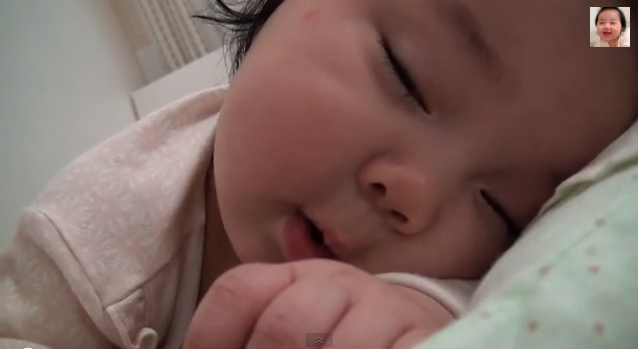
Ένα αξιολάτρευτο μωράκι που προσπαθεί να μην κοιμηθεί!


  • <p>Τα περισσότερα μωρά ακολουθούν ένα συγκεκριμένο πρόγραμμα.</p>

Ξυπνάνε, τρώνε, παίζουν και ξανακοιμούνται! Η αξιολάτρευτη μπέμπα του βίντεο που θα παρακολουθήσετε παρακάτω, είναι με τη μαμά της …

στο κρεβάτι. Θέλει να παίξει μαζί της, αλλά δεν τα καταφέρνει!

Ο λόγος; Η νύστα την έχει «χτυπήσει» κατακούτελα. Το αποτέλεσμα; Ενώ εκείνη θέλει να κρατηθεί ξύπνια, γέρνει το κεφαλάκι της, κλείνει για λίγα δευτερόλεπτα τα ματάκια της, και στην συνέχει ξυπνάει. Όχι όμως για να παίξει, αλλά για να αλλάξει πλευρό!

Δείτε το βίντεο με την πιτσιρίκα που σίγουρα θα αγαπήσετε:

Σχόλια Χρηστών

Recommended Comments

Δεν υπάρχει κάποιο σχόλιο

Account

Navigation

Αναζήτηση

Configure browser push notifications

Chrome (Android)
  1. Tap the lock icon next to the address bar.
  2. Tap Permissions → Notifications.
  3. Adjust your preference.
Chrome (Desktop)
  1. Click the padlock icon in the address bar.
  2. Select Site settings.
  3. Find Notifications and adjust your preference.