

Μετάβαση σε περιεχόμενο
View in the app

A better way to browse. Learn more.

Mammyland

A full-screen app on your home screen with push notifications, badges and more.

To install this app on iOS and iPadOS
  1. Tap the Share icon in Safari
  2. Scroll the menu and tap Add to Home Screen.
  3. Tap Add in the top-right corner.
To install this app on Android
  1. Tap the 3-dot menu (⋮) in the top-right corner of the browser.
  2. Tap Add to Home screen or Install app.
  3. Confirm by tapping Install.

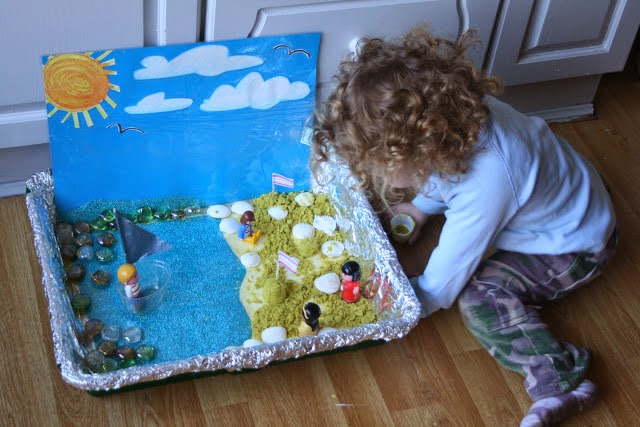
Φτιάξτε τη δίκη σας παραλία!


  • <p>Μια πολύ όμορφη καλοκαιρινή κατασκευή που θα λατρέψει το παιδάκι σας!</p>

Φτιάξτε το δικό σας καλοκαιρινό σκηνικό χρησιμοποιώντας ένα ταψί, αλουμινόχαρτο, χαρτόνι και μαρκαδόρους! Συγκεντρώστε λίγη άμμο, πετραδάκια, κοχύλια, μικρά παιχνίδια και χάρτινες σημαιούλες για να στολίσετε τη παραλία! Καλή έμπνευση!

meWOA0S.jpg

RnmGpHn.jpg

ojJJwVM.jpg

Ig3vK2k.jpg

cqcWmzi.jpg

oqrX7qS.jpg

JTHFPdo.jpg

KKyTzY6.jpg

Πηγή:theimaginationtree.com

Σχόλια Χρηστών

Recommended Comments

Δεν υπάρχει κάποιο σχόλιο

Account

Navigation

Αναζήτηση

Configure browser push notifications

Chrome (Android)
  1. Tap the lock icon next to the address bar.
  2. Tap Permissions → Notifications.
  3. Adjust your preference.
Chrome (Desktop)
  1. Click the padlock icon in the address bar.
  2. Select Site settings.
  3. Find Notifications and adjust your preference.