

Μετάβαση σε περιεχόμενο
View in the app

A better way to browse. Learn more.

Mammyland

A full-screen app on your home screen with push notifications, badges and more.

To install this app on iOS and iPadOS
  1. Tap the Share icon in Safari
  2. Scroll the menu and tap Add to Home Screen.
  3. Tap Add in the top-right corner.
To install this app on Android
  1. Tap the 3-dot menu (⋮) in the top-right corner of the browser.
  2. Tap Add to Home screen or Install app.
  3. Confirm by tapping Install.

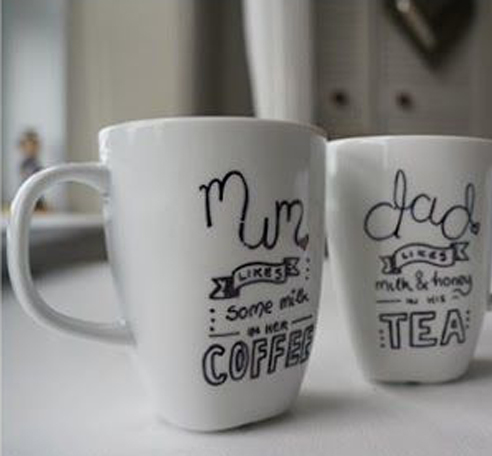
Φτιάξτε μια κούπα για την μαμά και τον μπαμπά!


  • <p>Γράψε μια αφιέρωση...ένα στιχάκι...λόγια αγάπης και φτιάξτε μια μοναδική κούπα για τη μαμά, τον μπαμπά και τα άτομα που αγαπάτε!</p>

Τι θα χρειαστούμε

- μια άσπρη πυρίμαχη κούπα (να αντέχει δηλαδή τις υψηλές θερμοκρασίες του φούρνου)

- ανεξίτηλο μαρκαδόρο

4X0n9FG.jpg

Γράψε ή ζωγράφισε κάτι πάνω στην κούπα σου.

6cHo7vR.jpg

Βάλε την κούπα στο φούρνο στους 170 βαθμούς Κελσίου για 30 λεπτά για να στεγνώσει καλά το σχέδιό σου.

uZjjLmI.jpg

Άφησε την να κρυώσει για ένα τέταρτο και η κούπα σου είναι πανέτοιμη!

8mNZNXy.jpg

Σχόλια Χρηστών

Recommended Comments

Δεν υπάρχει κάποιο σχόλιο

Account

Navigation

Αναζήτηση

Configure browser push notifications

Chrome (Android)
  1. Tap the lock icon next to the address bar.
  2. Tap Permissions → Notifications.
  3. Adjust your preference.
Chrome (Desktop)
  1. Click the padlock icon in the address bar.
  2. Select Site settings.
  3. Find Notifications and adjust your preference.