

Μετάβαση σε περιεχόμενο
View in the app

A better way to browse. Learn more.

Mammyland

A full-screen app on your home screen with push notifications, badges and more.

To install this app on iOS and iPadOS
  1. Tap the Share icon in Safari
  2. Scroll the menu and tap Add to Home Screen.
  3. Tap Add in the top-right corner.
To install this app on Android
  1. Tap the 3-dot menu (⋮) in the top-right corner of the browser.
  2. Tap Add to Home screen or Install app.
  3. Confirm by tapping Install.

Φτιάξτε ένα χριστουγεννιάτικο δέντρο με οικογενειακές φωτογραφίες!


  • <p>Τα Χριστούγεννα πλησιάζουν και σιγά σιγά αρχίζουμε να στολίζουμε το σπίτι μας!</p>

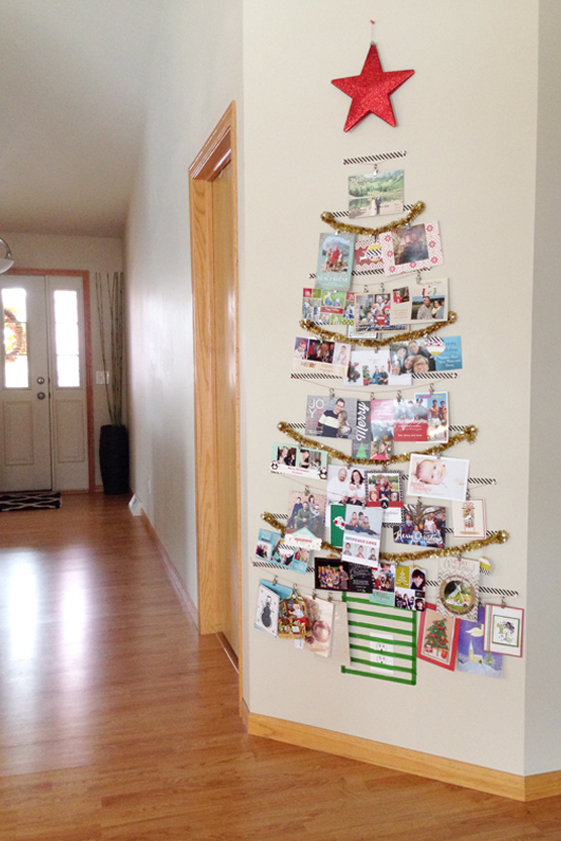
Μια όμορφη ιδέα είναι να φτιάξουμε ένα χριστουγεννιάτικο δέντρο με φωτογραφίες από τις όμορφες οικογενειακές μας στιγμές. Το μόνο που θα χρειαστούμε είναι ταινίες, κορδέλες και χαρτόνι για να φτιάξουμε το αστέρι και τις χριστουγεννιάτικες μπάλες που θα στολίσουν το δεντράκι μας!

Το αποτέλεσμα θα είναι σίγουρα πανέμορφο και μαγικό!

uOXrL0F.png

bF78r3b.png

Σχόλια Χρηστών

Recommended Comments

Δεν υπάρχει κάποιο σχόλιο

Account

Navigation

Αναζήτηση

Configure browser push notifications

Chrome (Android)
  1. Tap the lock icon next to the address bar.
  2. Tap Permissions → Notifications.
  3. Adjust your preference.
Chrome (Desktop)
  1. Click the padlock icon in the address bar.
  2. Select Site settings.
  3. Find Notifications and adjust your preference.