

Μετάβαση σε περιεχόμενο
View in the app

A better way to browse. Learn more.

Mammyland

A full-screen app on your home screen with push notifications, badges and more.

To install this app on iOS and iPadOS
  1. Tap the Share icon in Safari
  2. Scroll the menu and tap Add to Home Screen.
  3. Tap Add in the top-right corner.
To install this app on Android
  1. Tap the 3-dot menu (⋮) in the top-right corner of the browser.
  2. Tap Add to Home screen or Install app.
  3. Confirm by tapping Install.

Φτιάξτε ένα αερόστατο!


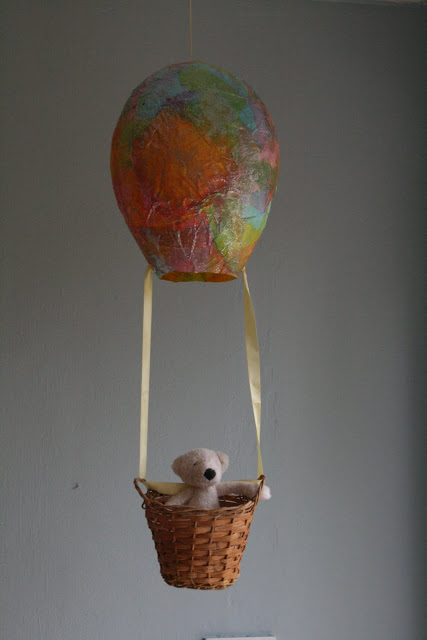
  • <p>Αυτό το όμορφο αερόστατο μπορεί να γίνει πολύ εύκολα!</p>

Φτιάξτε το και στολίστε το παιδικό δωμάτιο!

Το μόνο που θα χρειαστείτε είναι ένα μπαλόνι, κόλα, χαρτιά και φαντασία!

Πως θα το φτιάξουμε:

Φουσκώνετε ένα μπαλόνι, το στερεώνετε σε ένα ποτήρι και το περνάτε όλο με κόλλα. Κολλάτε πάνω του τα χαρτάκια (προτιμήστε διάφορα χρώματα) και βάζετε γκλίτερ και χρυσόσκονη. Το αφήνετε να στεγνώσει πολύ καλά και το κόβετε. Στο τέλος δένεται με ένα σχοινί ένα καλαθάκι και το αερόστατο είναι έτοιμο να ταξιδέψει!!!

Καλή επιτυχία!

DecTrfu.jpg

PVEJOu3.jpg

από theimaginationtree.com

Σχόλια Χρηστών

Recommended Comments

Δεν υπάρχει κάποιο σχόλιο

Account

Navigation

Αναζήτηση

Configure browser push notifications

Chrome (Android)
  1. Tap the lock icon next to the address bar.
  2. Tap Permissions → Notifications.
  3. Adjust your preference.
Chrome (Desktop)
  1. Click the padlock icon in the address bar.
  2. Select Site settings.
  3. Find Notifications and adjust your preference.