

Μετάβαση σε περιεχόμενο
View in the app

A better way to browse. Learn more.

Mammyland

A full-screen app on your home screen with push notifications, badges and more.

To install this app on iOS and iPadOS
  1. Tap the Share icon in Safari
  2. Scroll the menu and tap Add to Home Screen.
  3. Tap Add in the top-right corner.
To install this app on Android
  1. Tap the 3-dot menu (⋮) in the top-right corner of the browser.
  2. Tap Add to Home screen or Install app.
  3. Confirm by tapping Install.

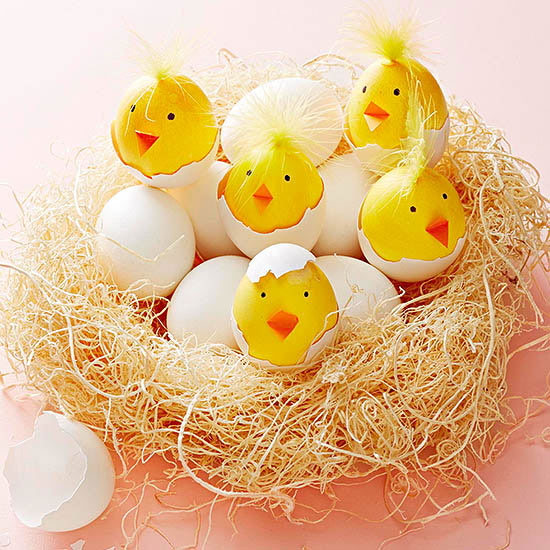
Πρωτότυπες ιδέες για να βάψουμε φέτος το Πάσχα τα αυγά!


  • <p>Το Πάσχα έρχεται και όλοι ανυπομονούμε να βάψουμε και φέτος τα αυγά!</p>

Σίγουρα θα τιμήσουμε την παράδοση των κόκκινων αυγών αλλά υπάρχουν ακόμα πολλοί καταπληκτικοί τρόποι να διακοσμήσουμε παρέα με το παιδί μας τα αυγά και να κάνουμε αυτή τη διαδικασία ακόμα πιο διασκεδαστική! Βάλτε τα παιδάκια σας στη διαδικασία να συμμετέχουν και να βοηθήσουν και απολαύστε το!!

w8aIGjI.jpg

tleFyds.jpg

9sDnZvP.jpg

fdsh1nk.jpg

KVZ8sMI.jpg

rJbClxS.jpg

71xIa0a.jpg

mk28XjJ.jpg

6Z749E1.jpg

us5LQlB.jpg

CeiUodV.jpg

anuiisP.jpg

Καλή έμπνευση!

φωτογραφίες από bhg.com

Σχόλια Χρηστών

Recommended Comments

Δεν υπάρχει κάποιο σχόλιο

Account

Navigation

Αναζήτηση

Configure browser push notifications

Chrome (Android)
  1. Tap the lock icon next to the address bar.
  2. Tap Permissions → Notifications.
  3. Adjust your preference.
Chrome (Desktop)
  1. Click the padlock icon in the address bar.
  2. Select Site settings.
  3. Find Notifications and adjust your preference.