

Μετάβαση σε περιεχόμενο
View in the app

A better way to browse. Learn more.

Mammyland

A full-screen app on your home screen with push notifications, badges and more.

To install this app on iOS and iPadOS
  1. Tap the Share icon in Safari
  2. Scroll the menu and tap Add to Home Screen.
  3. Tap Add in the top-right corner.
To install this app on Android
  1. Tap the 3-dot menu (⋮) in the top-right corner of the browser.
  2. Tap Add to Home screen or Install app.
  3. Confirm by tapping Install.

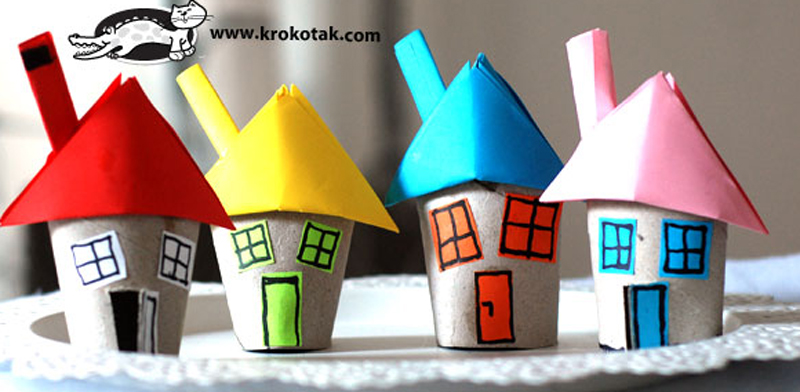
Μια πόλη από ρολά χαρτιού!


  • <p>Τα πιο όμορφα παιχνίδια δεν έχουν κόστος αλλά φαντασία, αγάπη, κέφι, χαρά και χρόνο. Με λίγα ρολά χαρτιού μπορείτε πανεύκολα να φτιάξετε αυτή την υπέροχη κατασκευή και να περάσετε έναν ευχάριστο δημιουργικό χρόνο με το παιδάκι σας. Τα παιδιά τρελαίνονται να δημιουργούν μαζί σας!</p>

WMIlSuX.png

XT4wdCB.png

hvVqrgw.png

oqnIRQe.png

nz5uuJy.png

T0ri7uK.png

1XWVtI3.png

C054U4j.png

wlpUdyw.png

Καλή διασκέδαση!!!

krokotak.com

Σχόλια Χρηστών

Recommended Comments

Δεν υπάρχει κάποιο σχόλιο

Account

Navigation

Αναζήτηση

Configure browser push notifications

Chrome (Android)
  1. Tap the lock icon next to the address bar.
  2. Tap Permissions → Notifications.
  3. Adjust your preference.
Chrome (Desktop)
  1. Click the padlock icon in the address bar.
  2. Select Site settings.
  3. Find Notifications and adjust your preference.