

Μετάβαση σε περιεχόμενο
View in the app

A better way to browse. Learn more.

Mammyland

A full-screen app on your home screen with push notifications, badges and more.

To install this app on iOS and iPadOS
  1. Tap the Share icon in Safari
  2. Scroll the menu and tap Add to Home Screen.
  3. Tap Add in the top-right corner.
To install this app on Android
  1. Tap the 3-dot menu (⋮) in the top-right corner of the browser.
  2. Tap Add to Home screen or Install app.
  3. Confirm by tapping Install.

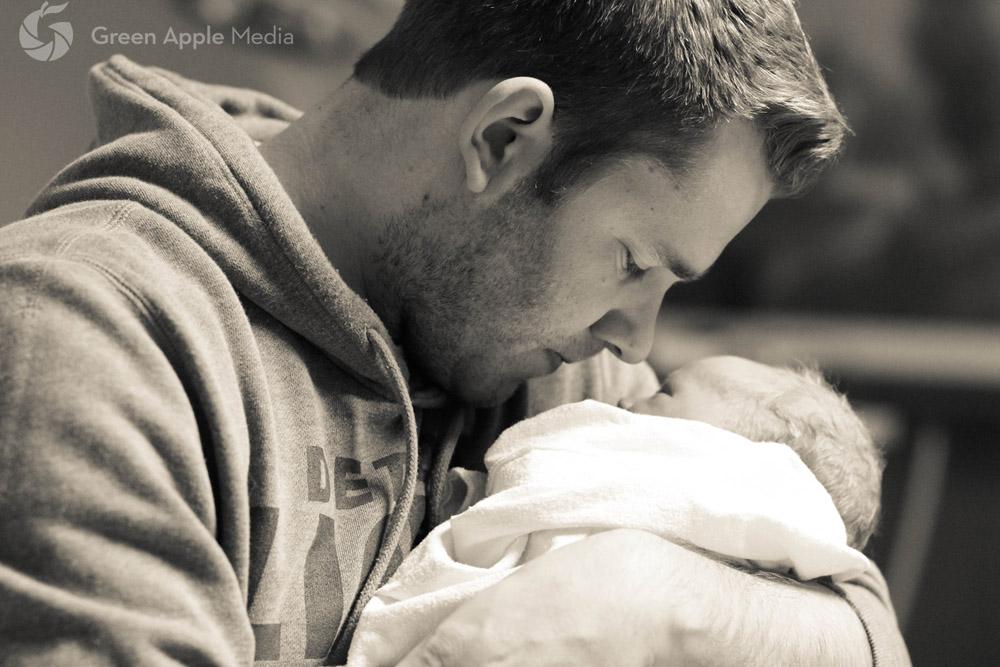
Όταν οι μπαμπάδες αντικρίζουν για πρώτη φορά το μωρό τους!

Η στιγμή που αντικρίζεις για πρώτη φορά το μικρό σου βλασταράκι δεν μεταφέρεται και δεν περιγράφεται με λόγια. 

Έτσι και τώρα τα λόγια περισσεύουν μπροστά σε αυτές τις φωτογραφίες με μπαμπάδες που αντικρίζουν για πρώτη φορά τα νεογέννητα μωράκια τους.

Όλη η αγάπη και η συγκίνηση του μπαμπά αποτυπωμένη σε μια φωτογραφία...

ZUWbMcW.jpg

u7TqAOY.jpg

6sR0MTi.png

VKqcXGp.jpg

efIuaxy.jpg

RJSWnJI.jpg

j2D8bIU.jpg

jDneTBA.jpg

yPygRuE.jpg

yiK7xn1.jpg

KOx0e9T.jpg

9ro0Rc8.jpg

j7m9MG3.jpg

sHujPny.jpg

mbxyrHu.jpg

Oh9lBYW.png

p28zMxh.jpg

rctM2Ap.jpg

kbhdJCN.jpg

1ILqhYG.jpg

qV9qbzS.png

0MoxjXc.jpg

NBJZMAH.jpg


Σχόλια Χρηστών

Recommended Comments

Δεν υπάρχει κάποιο σχόλιο

Account

Navigation

Αναζήτηση

Configure browser push notifications

Chrome (Android)
  1. Tap the lock icon next to the address bar.
  2. Tap Permissions → Notifications.
  3. Adjust your preference.
Chrome (Desktop)
  1. Click the padlock icon in the address bar.
  2. Select Site settings.
  3. Find Notifications and adjust your preference.